Can I trust what leaves the building?
Pack verification, package contents, carton defaults, weights, dimensions, and customer-specific pack requirements.
ORCA coordinates the work happening on the floor: inbound receiving, bin control, replenishment, pick lists, cart picking, cartonization, packing, parcel, freight, labels, documents, returns, and shipment exceptions.
Warehouse work is not one screen. ORCA gives each role a focused path while keeping the underlying shipment, inventory, package, bin, document, and audit data connected.
A warehouse operations manager needs confidence that the work is moving correctly, exceptions are visible, and operators are not relying on memory for rules the system should enforce.
Pack verification, package contents, carton defaults, weights, dimensions, and customer-specific pack requirements.
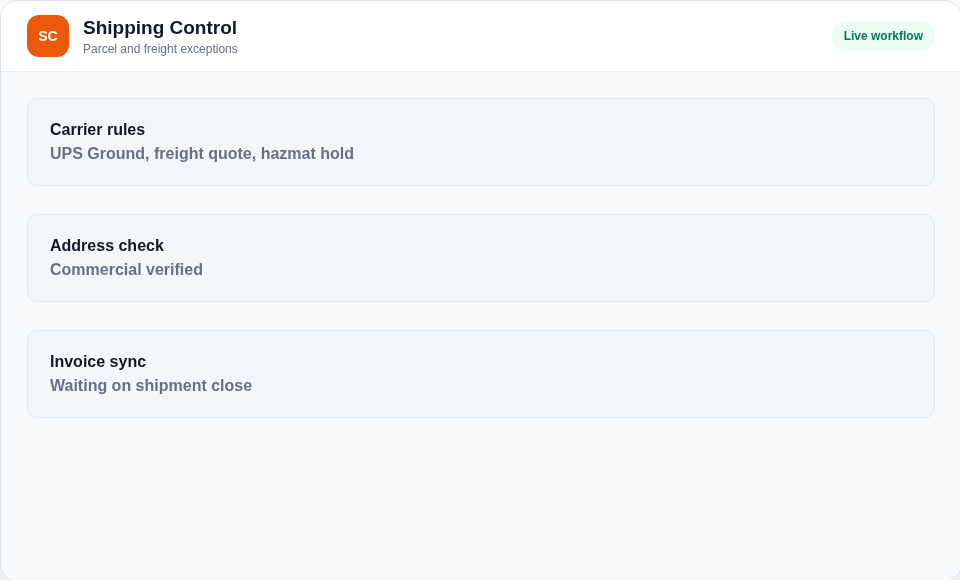
Carrier selection, service overrides, third-party billing, routing holds, documents, and freight review paths.
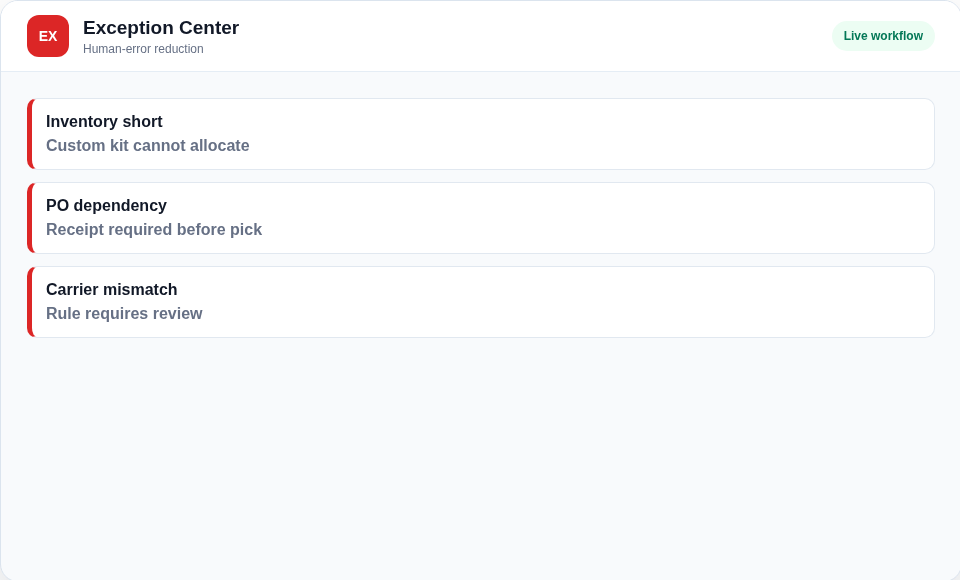
Backorders, no-location items, label failures, missing tracking, stale queues, skipped items, and repair workflows.
Receiving into bins, transfers, replenishment, holds, cycle counts, audits, and ledger-backed movement history.
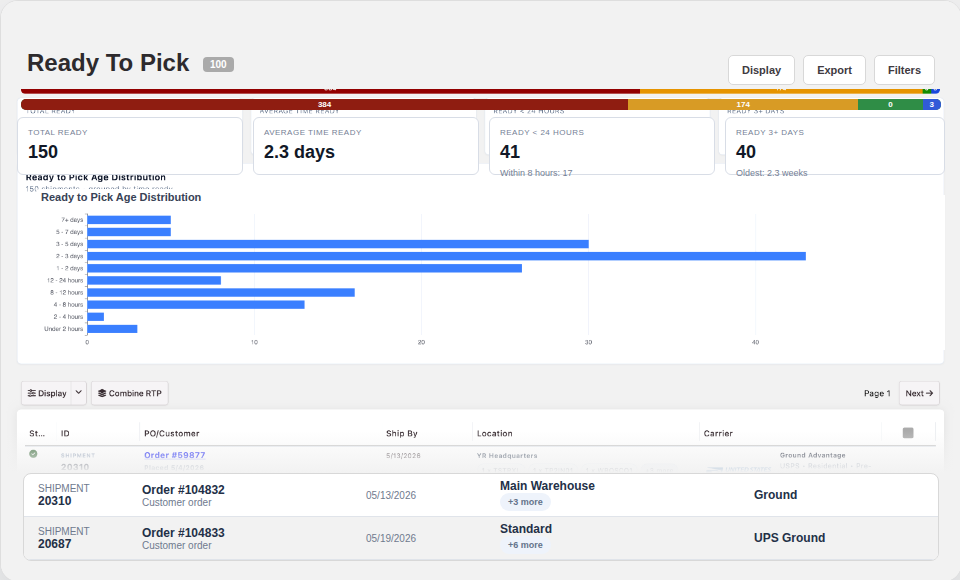
Ready-to-pick aging, throughput, shipped volume, queue blockers, pick performance, and exception reports.
Packing is where inventory accuracy, customer rules, package contents, documents, and shipping handoff all meet. ORCA lets the packer flow enforce the work instead of depending on the most experienced person at the station.
Warehouse teams should not need to remember every carrier account, ship method override, routing guide, hold condition, and document requirement. ORCA can apply shipping logic before the mistake becomes a label, charge, or customer issue.
ORCA keeps the operational objects connected as work moves: inventory, bins, packer configuration, packages, cartons, shipments, shipping rules, documents, labels, carrier events, user actions, and exception states.
Every transfer, receipt, adjustment, hold, replenish, and bin assignment can leave a usable history instead of becoming tribal knowledge.
Operators can build cartons, scan package contents, validate weights and dimensions, and preserve carton-level traceability.
Warehouse teams can control how packing should behave for different customers, products, shipment types, and operator workflows.
Rate, route, label, manifest, void, and confirm shipments while keeping carrier service, account, and document rules attached to the shipment.
Shipment decisions can follow rule logic instead of tribal knowledge, helping teams choose accounts, services, documents, and review paths correctly.
Packing slips, pickup labels, SSCC labels, routing guide outputs, and partner-specific documents can be generated inside the flow.
Blocked work should surface as work, not surprise. ORCA gives teams a place to repair bad labels, missing tracking, stale queues, and unshippable orders.
Managers can see the queue, aging, blockers, shipped volume, pick performance, and work that needs intervention before it becomes customer pain.
ORCA covers the operational states, documents, scans, queues, and exception paths that make warehouse execution hard to run from generic order software.
Receive against purchase orders and inbound shipments, capture photos, track expected quantities, handle lots, and direct product into bins.
Audit, assign, transfer, adjust, hold, and replenish inventory across warehouse, storage, mobile, picking, and staging locations.
Build pick lists, work cart-based picking, scan item identifiers, track picked quantities, and keep skipped or blocked work visible.
Pack shipments into cartons, verify package contents, manage weights and dimensions, and apply configured packer rules by customer or workflow.
Rate, route, label, ship, manifest, confirm, void, and audit parcel and freight shipments with advanced rules for how shipments should move.
Generate packing slips, carton labels, pallet labels, bin labels, pickup labels, error labels, and partner-specific shipping documents, with desktop print-station support.
Keep backorders, no-location items, unshippable shipments, holds, label failures, missing tracking, and stale queue items from hiding.
Track ready-to-pick aging, processing aging, shipped volume, pick performance, freight work, and confirmation failures.
Support return intake, putbacks, shipment repair, voided labels, exception review, and inventory reconciliation after the original flow breaks.
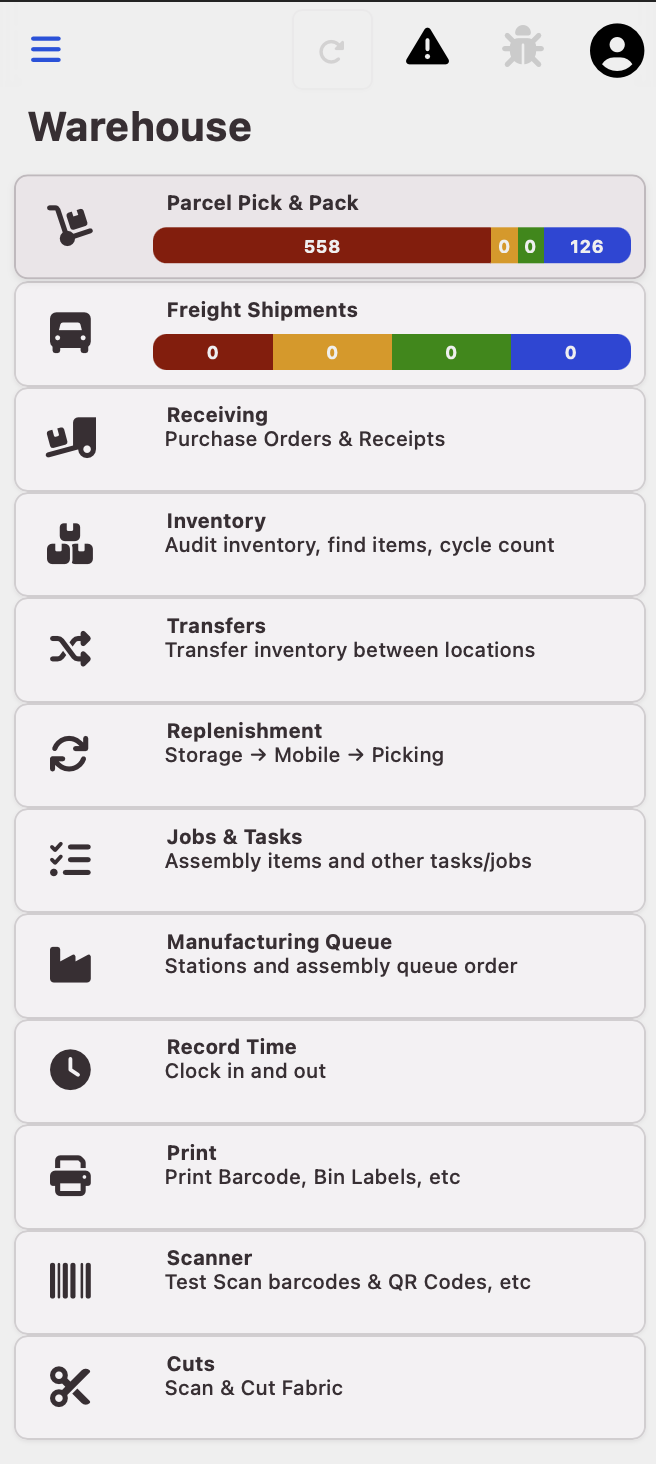
Give operators focused mobile paths for receiving, picking, phone-camera barcode scanning, transfers, audits, maintenance, and shipment work without exposing every back-office screen.
Keep sensitive actions controlled with permissioned workflows, audit trails, status transitions, and review points for exception-heavy work.
Let warehouse actions update marketplaces, carriers, accounting, customer systems, EDI partners, and internal reports without manual rekeying.
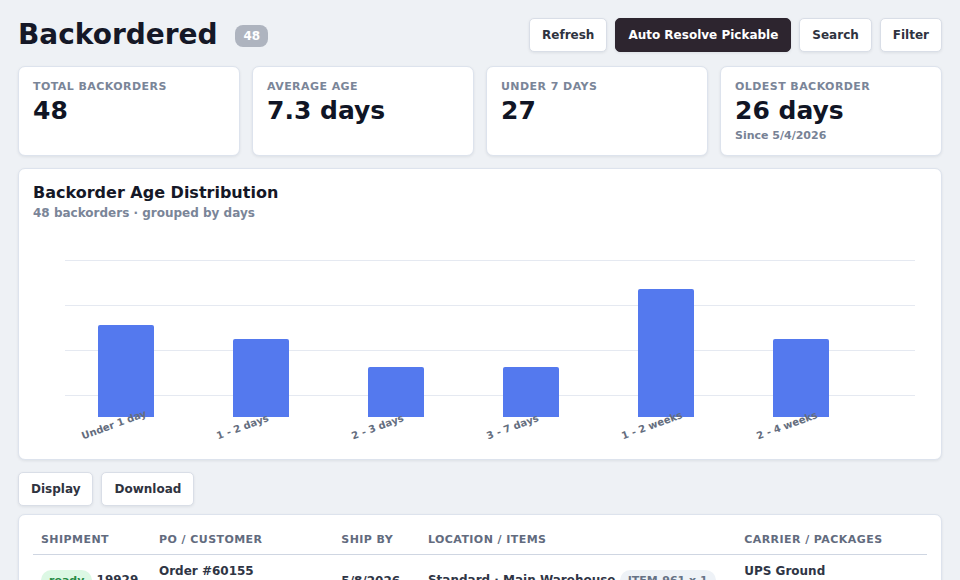
ORCA tracks the operational state of inventory, packages, shipments, and documents as work moves through the building. That means supervisors can see what is ready, what is blocked, what is aging, and what already happened.
Each workflow is designed around the task at hand, with scanner-friendly actions for operators and enough context for supervisors to intervene.
Scan items, bins, carts, packages, labels, and shipment identifiers to keep the physical workflow tied to system state.
Create pick lists, work cart lanes, resolve skipped items, and keep pick progress visible across ready-to-pick work.
Build cartons, assign package contents, confirm weights, and protect customer-specific pack rules before shipping.
Quote shipping, select service, print labels, void mistakes, and preserve tracking at shipment and package level.
Watch aging, due dates, holds, backorders, no-location blockers, freight queues, and ready-to-ship work.
Support putbacks, label exceptions, shipment repairs, voids, missing tracking reviews, and inventory reconciliation.
| Status | Order | Ship By | Carrier |
|---|---|---|---|
| Late | SO-12844 | Today | UPS |
| Pick | SO-12851 | Today | FedEx |
| Ready | SO-12860 | Tomorrow | Freight |
| Ready | SO-12877 | Later | USPS |
Good warehouse software makes the next correct action obvious. ORCA is built around operational queues, visible blockers, and controlled actions so work keeps moving without hiding the exceptions.